
LogicLike: ABC & Math for Kids
Massiana - Educational GamesEducational
4.6341.00 Reviews
- Version
- 3.13.0
- Installs
- 10.00M
- Age Rating
- Everyone
Screenshots
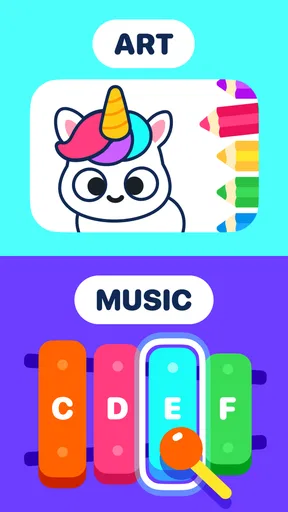
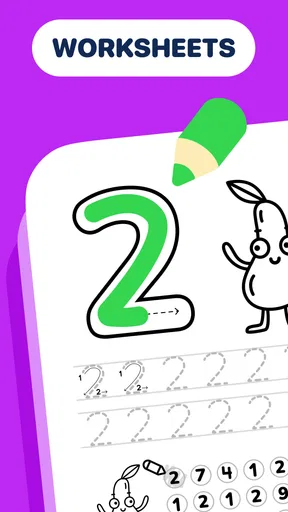

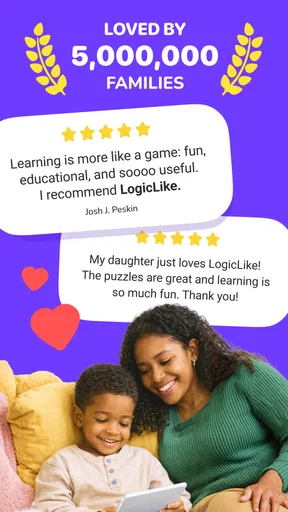
Our Review of LogicLike: ABC & Math for Kids
 Analysis by Appyee
When I think about a useful learning game for young children, I look for more than bright colors: I want a child to know what to do, understand the response, and have a reason to try again without needing an adult to explain every move. That is the loop I paid attention to while exploring LogicLike: ABC & Math for kids. It brings early literacy and number practice into short game-like activities, making it easier to turn a spare moment at home into a small learning session rather than another stretch of passive screen time.
Where a child begins
The first action is straightforward: a child chooses an activity and works through a letter, sound, word, number, or puzzle task. That matters at preschool age, when a long set of spoken instructions can be more of a barrier than the learning itself. The app’s playful presentation helps make the activity feel approachable, while the mix of topics gives a parent a way to steer a child toward the kind of practice that fits the moment.
I would use it as a companion to ordinary routines, not as a replacement for conversation, books, or hands-on play. For example, after breakfast, a parent could invite a child to do a short letter activity, then point out the same sound in a word on a cereal box. Another day, a simple number task could lead into counting toys together. The useful part is the handoff from screen to real life: an activity can give a child a prompt, while the adult helps connect it to objects and language around them.
A Playful Approach to Learning
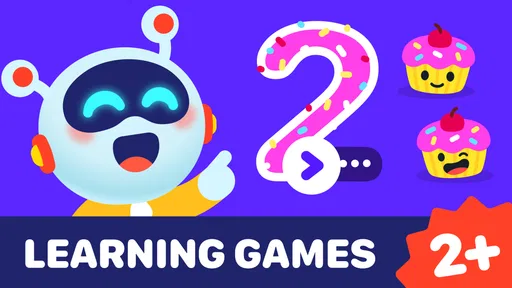
First off, when I opened LogicLike: ABC & Math for kids, the vibrant colors and friendly interface immediately caught my eye. It’s designed to be kid-friendly, which is a huge plus. No more boring lessons; instead, it feels like a game, making it super engaging for the kiddos. The app is packed with puzzles, quizzes, and fun challenges that cover a range of topics from the ABCs to basic math concepts.
Interactive and Engaging Content
What sets this app apart is its variety. I mean, kids today have short attention spans, right? But with LogicLike, they won’t get bored easily. The app offers a mix of activities that cater to different learning styles. Whether your child is into visual learning or prefers hands-on activities, there’s something here for everyone.
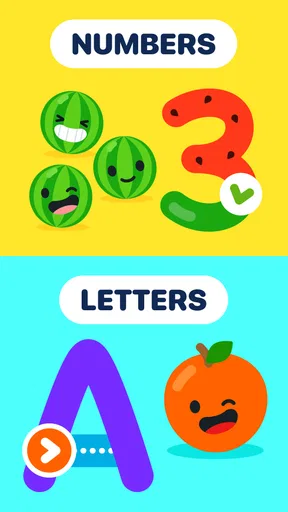
For example, the ABC section isn’t just about learning letters; it’s about recognizing sounds and making words through mini-games. And the math part? It’s full of fun problems that encourage critical thinking. The app uses gamification to its advantage, rewarding kids as they progress, which keeps them motivated.
How the feedback keeps the loop moving
The play pattern is simple to explain to a child: choose a task, make an answer, see the response, and decide whether to continue. Immediate feedback can make practice less intimidating because a child can treat a mistake as a cue to try a different answer rather than as a formal test result. I’d sit nearby for the first session and ask the child to say what they noticed, especially with letter sounds or a number puzzle. That gives me a better sense of whether they are guessing, recognizing a pattern, or genuinely understanding the prompt.
Rewards can encourage another round, but I would keep them in perspective. A child may be eager to continue because progress feels satisfying; that is useful motivation, not proof that a concept has stuck. After a few activities, I’d pause and ask the child to explain a choice or find a matching letter away from the screen. This small check helps separate enjoyment from learning and lets me decide whether to repeat an easier task or move to something more challenging.
Customizable Learning Experience
One thing that really impressed me is how customizable the app is. Parents can adjust the difficulty level based on their child’s age and skill level, which is fantastic for tailoring the learning experience. It’s like having a personal tutor that grows with your child!
Plus, the app provides feedback and tracks progress, so you can see how your little one is doing. This feature is great for parents who want to be involved in their child's learning journey without hovering too much.
Making a session fit the day
For a realistic everyday use, I’d open the game during a quiet stretch while waiting for dinner, choose one activity connected to what the child is already practicing, and agree on a natural stopping point before starting. If the child is working on letter recognition, for instance, a brief ABC session can be followed by finding that letter in a picture book. If numbers are the focus, counting steps or snack pieces offers a low-pressure follow-up. The app works best as a prompt for shared attention, not as a digital babysitter expected to teach everything on its own.
A practical tip is to let the child make the first choice, then use the next session to revisit a different skill rather than tapping through activities at random. That gives the adult a simple rhythm: follow the child’s interest, notice what feels easy or difficult, and select a suitable activity next time. Progress tracking may help an adult spot patterns, but I would still rely on conversation and observation; a screen record cannot show whether a child can use a skill independently in daily life.
Who will get the most from it
I see the clearest fit for preschoolers and early learners who enjoy short, colorful tasks and need gentle practice with letters, sounds, basic words, numbers, or reasoning puzzles. It can also help a parent who wants a structured alternative to handing over a general-purpose game, especially when an adult is available to set a limit and talk through the activity. The Everyone age rating makes the intended broad audience clear, but it does not mean every activity will suit every child at the same stage; an adult should still choose content and difficulty with the individual child in mind.
By contrast, I would look elsewhere if a child needs a full school curriculum, detailed teaching explanations, or sustained practice in one narrowly defined subject. A workbook, a teacher-led lesson, or a dedicated reading program may be a better match when the goal is systematic instruction rather than varied play. A child who dislikes tapping through screen activities may also get more from blocks, picture books, counting objects, or letter cards. The right choice depends on whether the game complements the way that child learns.
How it compares with familiar alternatives
Compared with a stack of worksheets, LogicLike makes practice feel more interactive and offers a range of activities in one place; the trade-off is that a child is using a screen instead of writing or manipulating physical objects. Compared with an open-ended video app, its educational focus gives a parent a clearer purpose for handing over the device, though it still benefits from an adult nearby. And compared with a single-skill alphabet or counting game, the mix of early learning topics can make it easier to switch when attention fades, but a specialist app may offer a more concentrated routine for a child who needs repetition in one area.
That variety is most useful when it is used deliberately. I would avoid treating every available activity as something a child should complete. Instead, I’d pick one suitable task, watch how the child responds, and stop when focus drops. A short, positive session is more valuable than pushing through simply to reach another reward. This is also a helpful way to manage screen time: the adult chooses the moment and purpose, while the game supplies a bounded activity.
Safe and Secure Environment
In today’s digital age, safety is a top concern for many parents. Rest assured, LogicLike has got this covered. The app is free from ads and in-app purchases, which means no unexpected surprises or distractions for the kids. It’s a secure environment where children can learn and play without any worries.
Moreover, the app’s developers have made sure that the content is age-appropriate and educationally sound, which is a huge relief for those of us who are cautious about screen time.
What parents should know before choosing
The game is free to install, but it also offers in-app purchases priced from $1.99 to $199.99 per item. That is worth knowing before a child uses the device independently, even though the original experience is free. I’d check purchase controls on the device and explain that buying anything is an adult decision. This is a more realistic approach than assuming that a child-facing educational game has no purchase prompts at all.
Massiana - Educational Games is the developer, and the game has a 4.5 average from around 68,000 ratings, with over 10 million installs. Those figures suggest it has reached a large audience, but I would not use popularity as a substitute for checking whether its activities suit a particular child. It is free, rated for Everyone, and its current version is 2.107.0; it was released on June 16, 2021, and requires Android 7.0 or later. For a parent deciding whether to try it, the practical question is less about its reach and more about whether a child responds well to its mix of early-learning play.
When another session makes sense
The reason to begin again should be clear: the child enjoyed the previous task, has energy for another short try, or could use a fresh activity on a different skill. I would not make the reward itself the goal. If a child is tired or frustrated, stopping is a sensible outcome; the game will be more inviting another day if sessions end before learning turns into a struggle. If a child keeps rushing for rewards without attending to the questions, I’d sit with them, slow the pace, and talk through one answer rather than letting the game run unattended.
That reset also gives parents a chance to adjust the plan. A task that was too easy can be followed by a more suitable challenge, while a confusing one may be worth revisiting with a real-world example first. The flexibility is valuable, but it puts some responsibility on the adult to notice how the child is doing instead of assuming that a progress indicator alone tells the whole story.
Final Thoughts
Overall, LogicLike: ABC & Math for kids is a fantastic tool for parents looking to supplement their child’s learning with something fun and educational. It’s a win-win situation: kids get to learn through play, and parents can relax knowing their child is engaging with quality content.
If you’re on the lookout for a way to make learning exciting for your little ones, I’d highly recommend giving this app a try. It’s a great way to turn screen time into learning time!
My verdict on the learning loop
I like the basic rhythm here: a child picks a puzzle or learning activity, responds, gets feedback, and may feel motivated to try another. The mix of early literacy, numbers, and reasoning gives parents options for changing direction without changing apps, while difficulty adjustment and progress feedback can support a more considered routine. Those strengths make it a useful supplement for families who want playful practice and are willing to stay involved.
I would not call it a stand-in for a parent, teacher, book, or hands-on materials, and I would not leave a young child to navigate purchases or screen time without adult guidance. Used in short, intentional sessions, though, it can make a spare moment feel purposeful and give a child a pleasant reason to return. That balance is why I’d recommend trying it for a child who enjoys interactive learning, while choosing a more focused or offline option when that better fits their needs.
Privacy and Permissions
See what permissions an app requests and how it handles your data.
- Photos/Media/Files
- read the contents of your USB storage, modify or delete the contents of your USB storage
- Storage
- read the contents of your USB storage, modify or delete the contents of your USB storage
- Camera
- take pictures and videos
- Wi-Fi connection information
- view Wi-Fi connections
- Other
- view network connections, full network access, run at startup, control vibration, prevent device from sleeping
Verdict
Strengths of LogicLike: ABC & Math for Kids
- Engaging puzzles enhance critical thinking.
- Colorful interface attracts young learners.
- Adaptive difficulty keeps kids challenged.
- Offline mode available for travel use.
- Parental controls ensure safe learning.
Limitations of LogicLike: ABC & Math for Kids
- Limited free content without subscription.
- Some puzzles may repeat frequently.
- In-app purchases can be distracting.
- Requires frequent updates for new content.
- No multiplayer or social features.
Similar Picks in This Category
View All
Little Panda Policeman
BabyBus4.0

Monster Trucks Game for Kids 2
Raz Games4.1

Little Panda's Chinese Recipes
BabyBus4.4

Little Panda's Restaurant
BabyBus4.4

Little Panda's Ice Cream Games
BabyBus4.3

Baby Panda Care
BabyBus3.8
Frequently Asked Questions
What age group is LogicLike: ABC & Math for kids suitable for?
LogicLike: ABC & Math for kids is designed for children aged 5 to 12. It offers a range of engaging puzzles and educational activities tailored to different skill levels, ensuring that both younger and older children can benefit. The app adapts as children progress, providing challenges that match their growing abilities.
Does LogicLike: ABC & Math for kids require an internet connection?
LogicLike: ABC & Math for kids can be used offline, making it convenient for travel or places without a reliable internet connection. However, some features, such as updates or additional downloadable content, may require internet access to function properly. Always check for the latest updates when online.
Are there any in-app purchases in LogicLike: ABC & Math for kids?
Yes, LogicLike: ABC & Math for kids includes in-app purchases. While the app offers a variety of free content, additional puzzles and features can be unlocked through purchases. It's recommended to monitor in-app purchases if children are using the app, ensuring spending stays within limits.
How does LogicLike: ABC & Math for kids support learning?
LogicLike: ABC & Math for kids supports learning by combining fun puzzles with educational content. It enhances problem-solving skills, arithmetic understanding, and logical thinking through interactive challenges. The app's adaptive learning paths ensure children are continually engaged and learning at their pace.
Is there a parental control feature in LogicLike: ABC & Math for kids?
Yes, LogicLike: ABC & Math for kids includes parental control features. These allow parents to monitor progress, set usage limits, and manage in-app purchases. This ensures a safe and controlled environment for children to learn and play, giving parents peace of mind about their child's app usage.
Play our best games!


